Your business already keeps a khatian. Ours never loses a page.
Khatian ERP runs point of sale, inventory, accounting, and payroll from one system — built in taka, with VAT and mobile banking accounts native, for how Bangladeshi businesses actually keep their books.
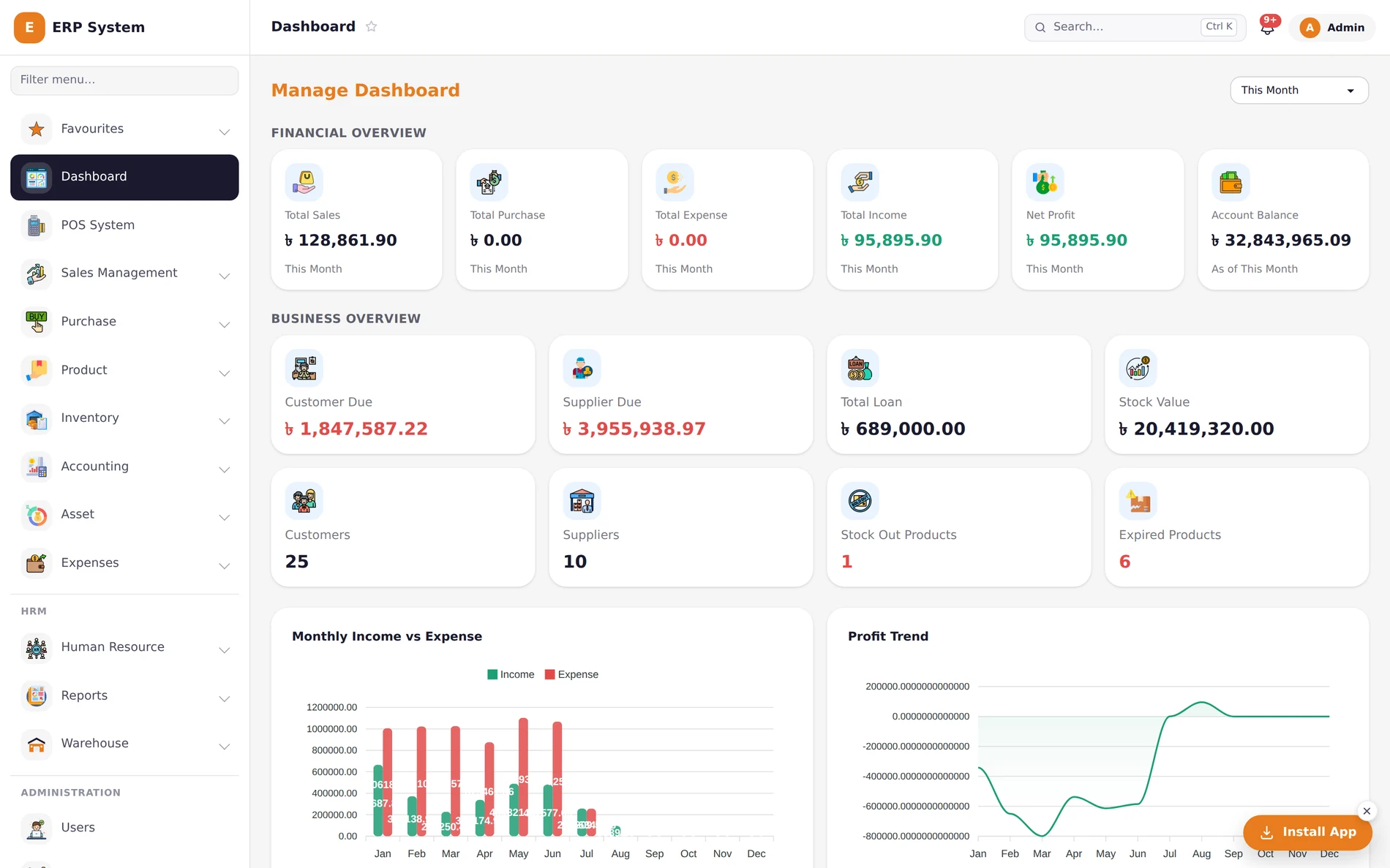
If you're keeping a khatian today, this is for you.
Same core system underneath — which modules you lean on depends on how you actually sell.
Ring up sales all day, know stock all night.
POS at the counter, barcode on the shelf, expiry alerts before something goes to waste.
Track what every buyer owes you, not just what they bought.
Purchasing, supplier dues, and aged receivables so nothing outstanding hides in a spreadsheet.
Quote it, then invoice it — same numbers, no re-typing.
Quotations convert straight to invoices, and services sit alongside products in the same cart.
One ledger, however many counters you run.
Multiple warehouses, stock transfer between locations, and role-based access per branch.
Every page of the business, in the same ledger.
No separate billing app, no spreadsheet for stock, no second system for payroll. One login, one set of numbers, everywhere. Watching — it moves on its own, or click a tab.
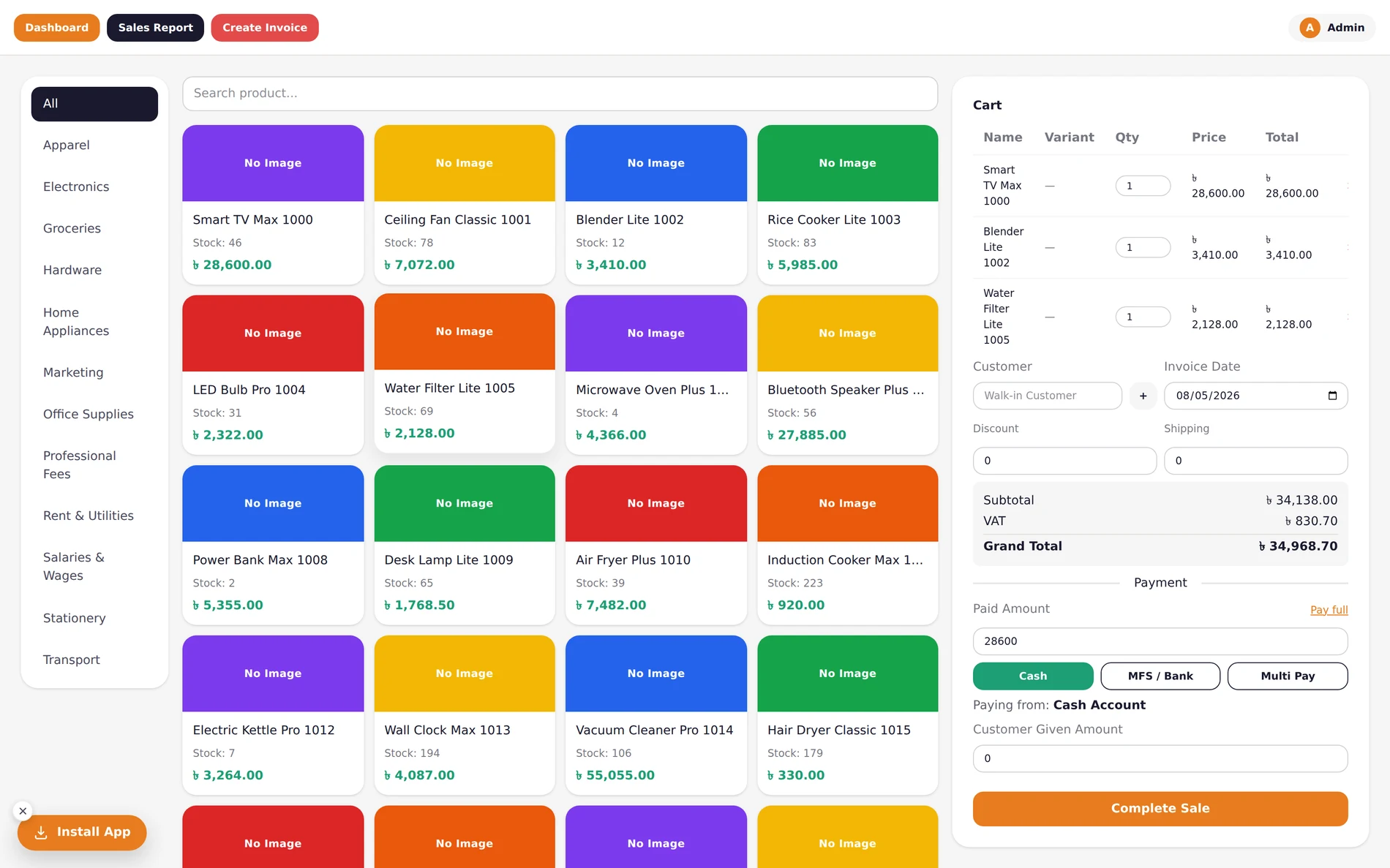
Ring it up, taka lands in the right account.
- Ring up a sale in seconds — pay by cash, bKash, Nagad, bank, or split across all of them in one sale.
- Stock drops the moment the sale completes. No evening recount to find out what's left.
- Every receipt prints, and the money is already reconciled against the account it landed in.
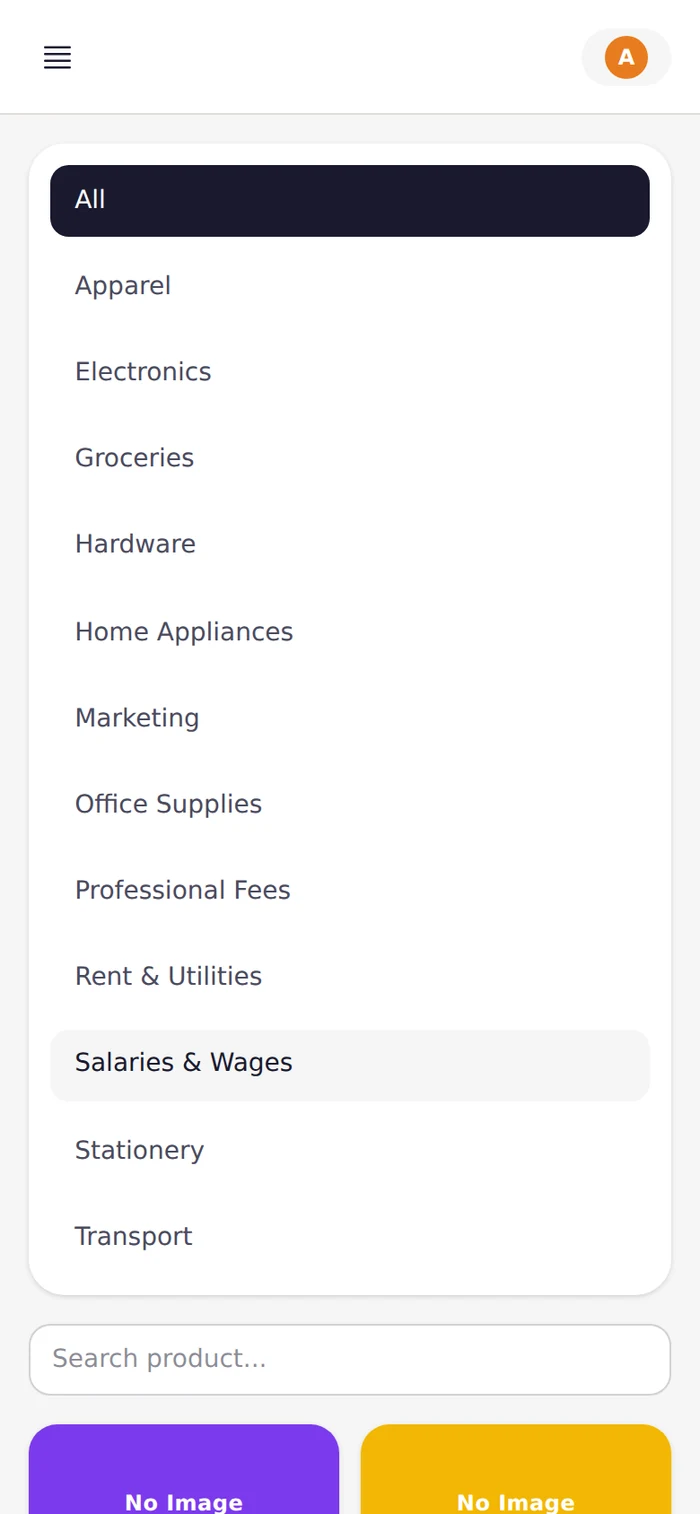
- Search by product name, filter by category, and add a walk-in or existing customer without leaving the counter.
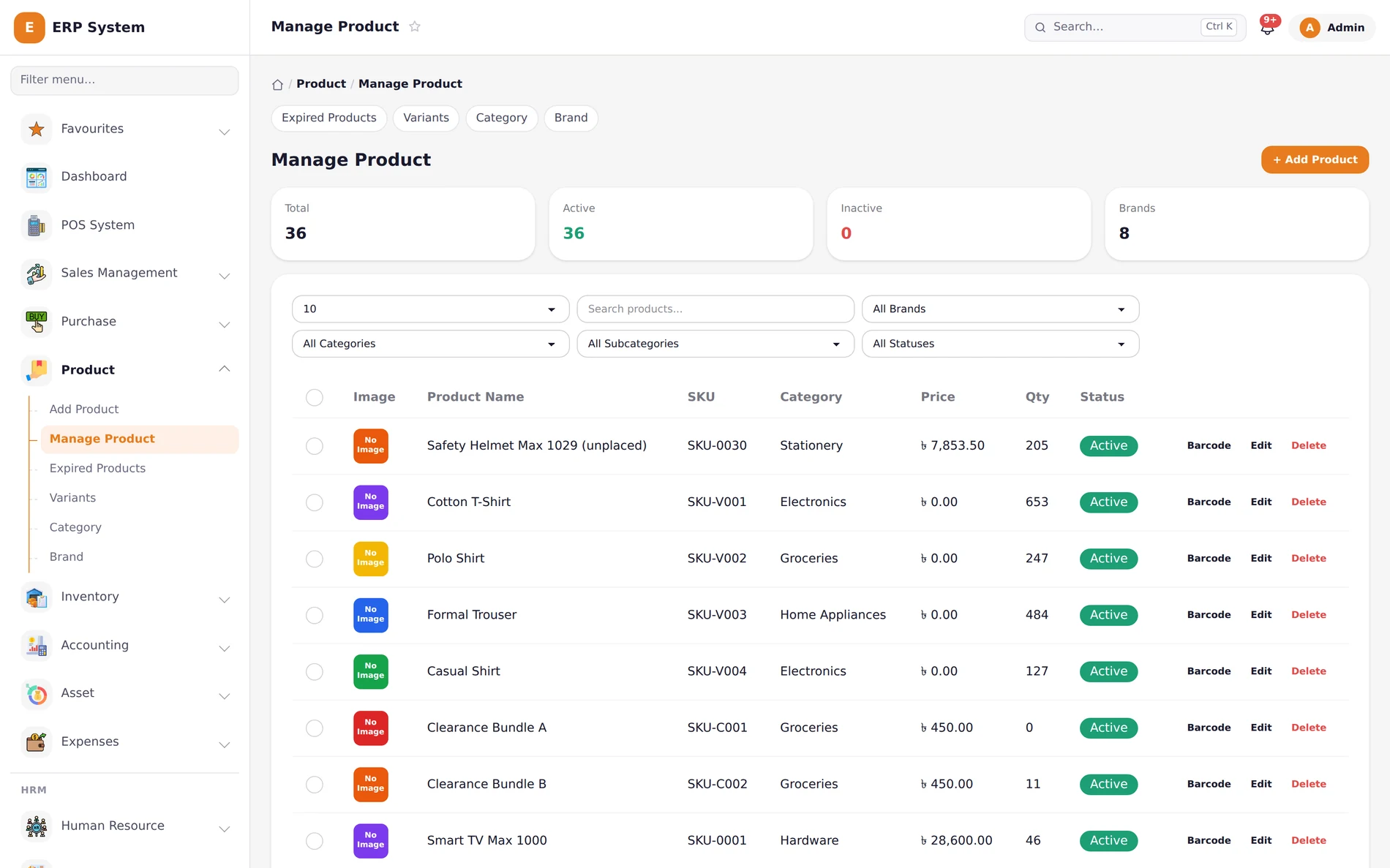
Know what's on the shelf, before a customer asks.
- Track stock by variant — size, colour, weight, whatever your shop actually sells.
- Get warned before something expires or runs out, not after you've already lost the sale.
- Barcode every product and know exactly what moved, and where, at any moment.
- Every product change — a price edit, a quantity adjustment — lands in the audit trail with who did it.
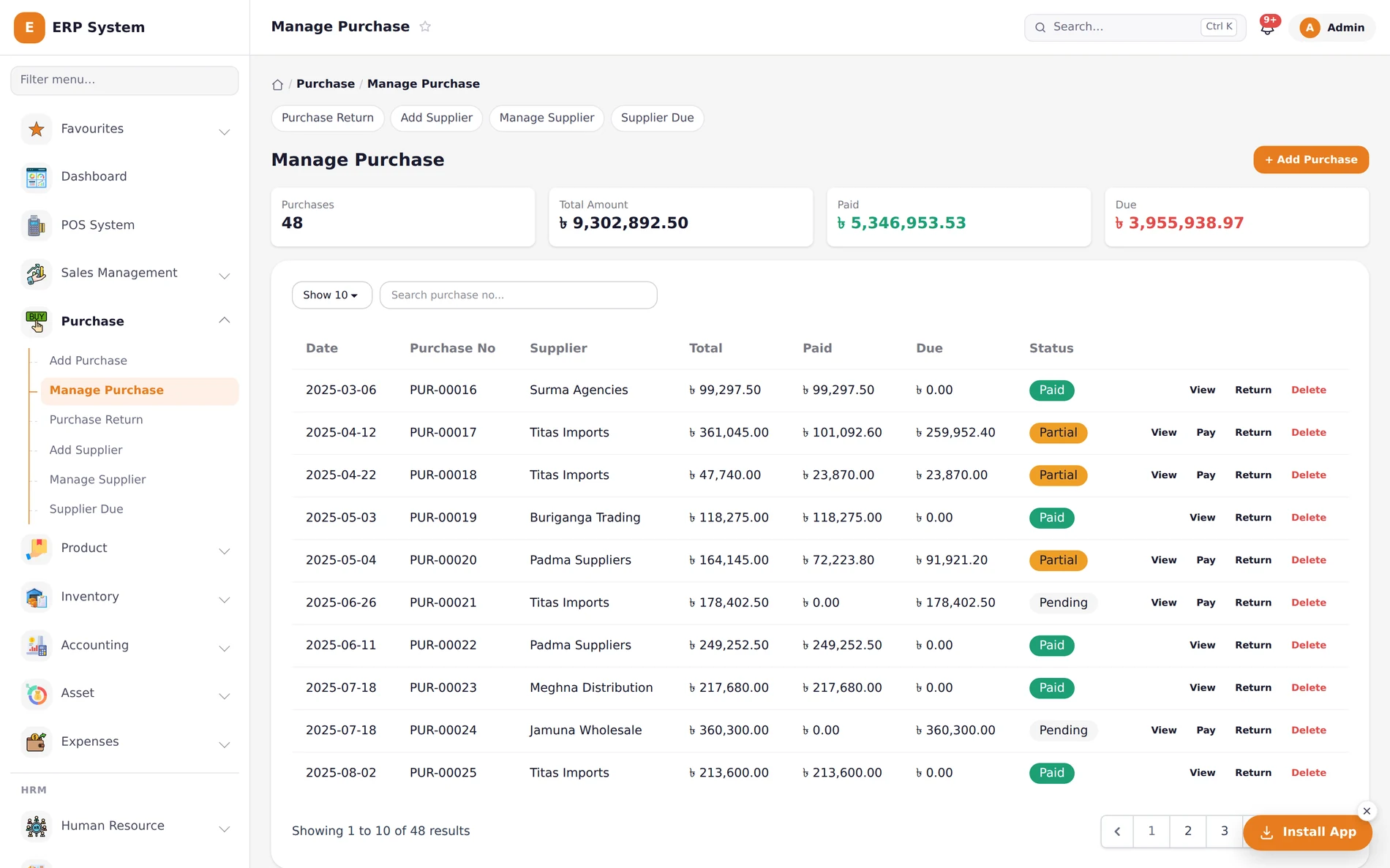
Know what you owe every supplier, at a glance.
- Log a purchase, and stock and supplier balance update in the same step.
- Partial payments tracked per order — paid, due, and status, never re-calculated by hand.
- Purchase returns restore stock and refund the account automatically.
- See every supplier's due, aged by how long it's been outstanding — not just a single total.
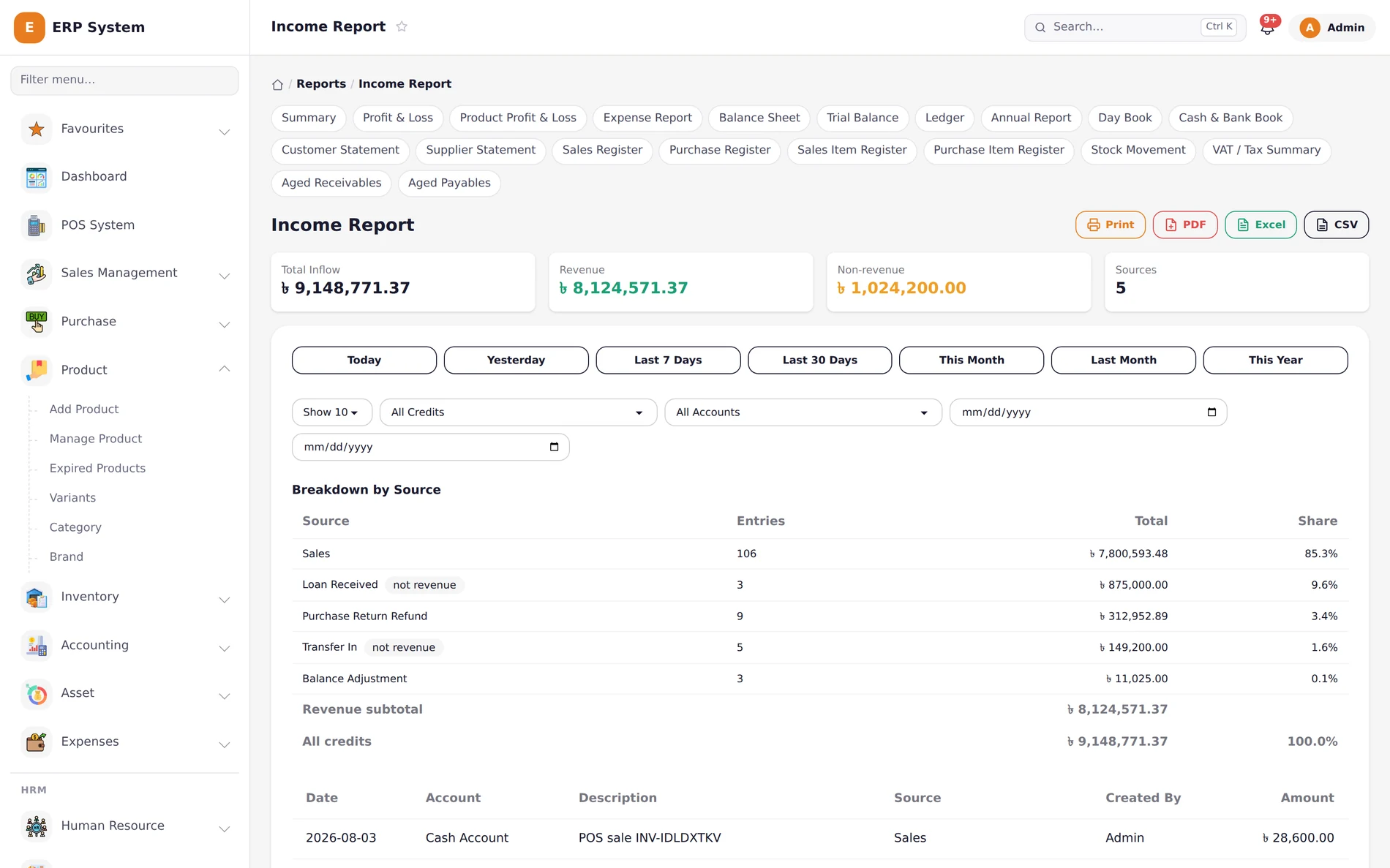
31 reports. One click to send any of them out.
- From a daily cash book to a five-year profit trend — every report your accountant would ask for, already built.
- Every report exports to Print, PDF, Excel, or CSV, in the same click.
- See exactly where every taka came from, broken down by source, automatically — not re-typed at month end.
- Ledger, Trial Balance, Balance Sheet, VAT Summary, Aging — the full accounting library, not a highlight reel.
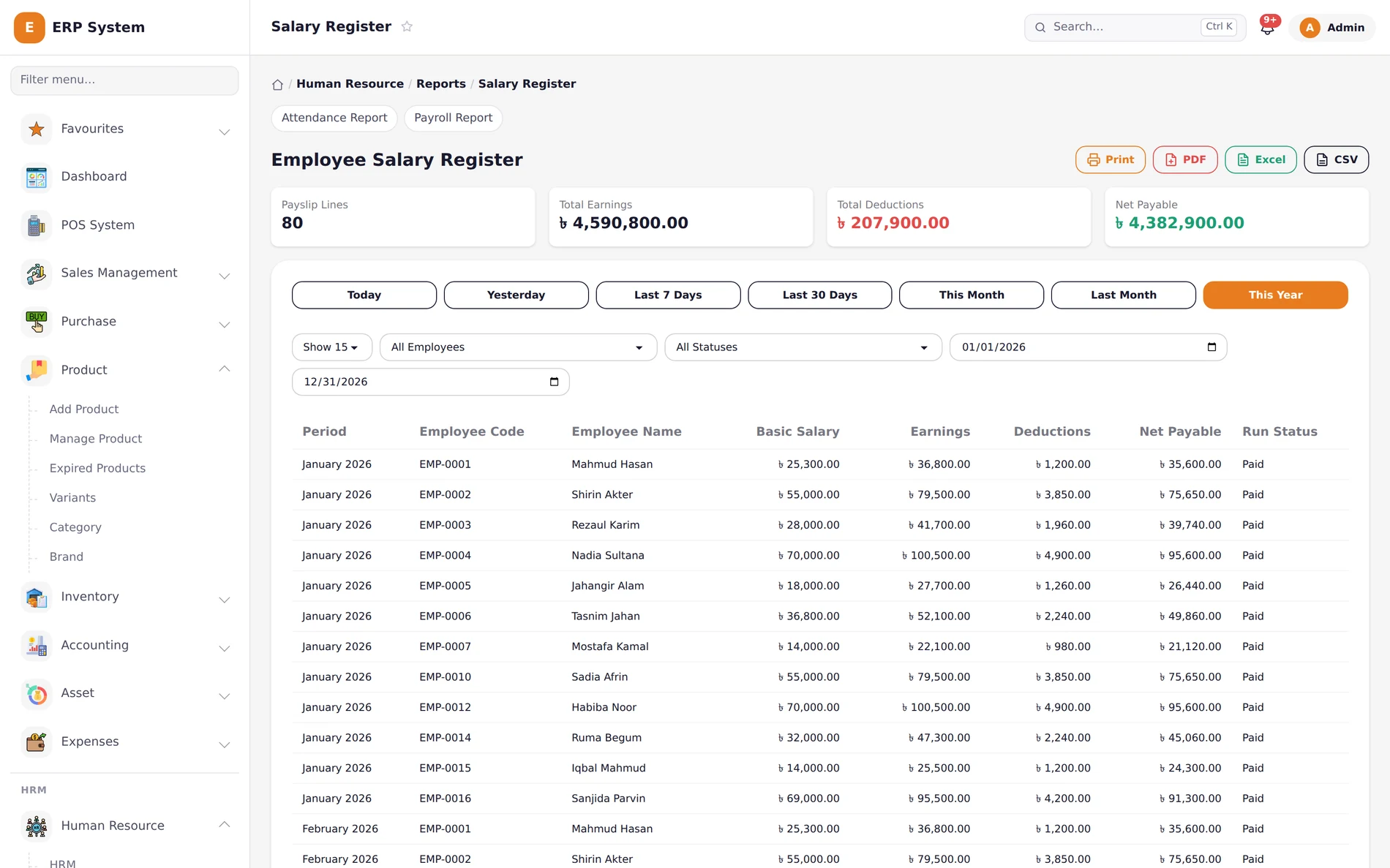
Payroll, done from attendance, not a calculator.
- Run payroll for the whole team, computed from attendance, shifts, and each employee's salary structure.
- Track leave, late arrivals, and shift schedules without a separate register.
- Every payslip and salary register, ready to print or hand to your accountant.
- Departments, designations, and per-employee salary overrides — without editing a spreadsheet formula.
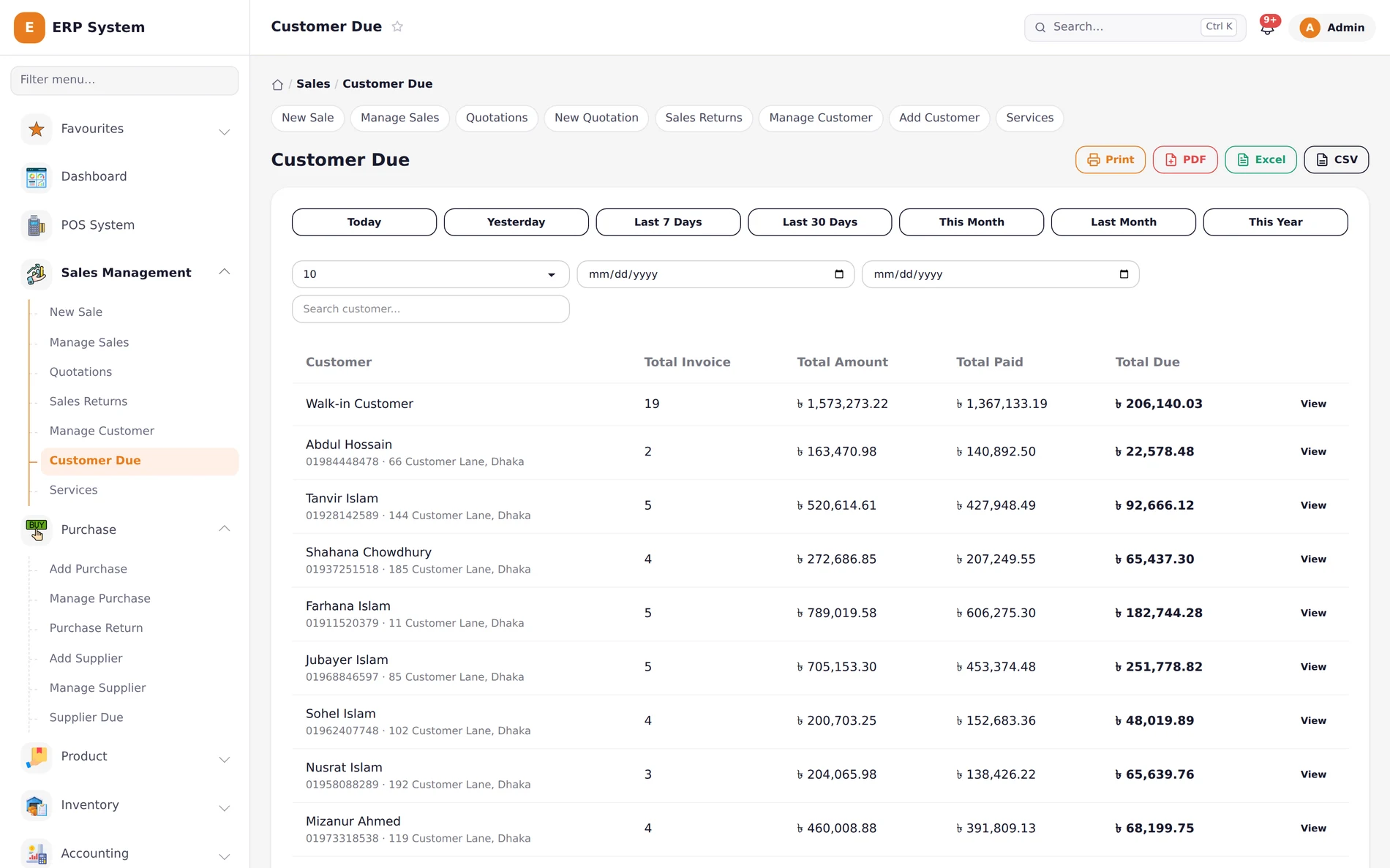
Never chase a balance from memory again.
- Every customer's outstanding due, updated the instant a sale or a payment is recorded.
- Filter by date range and export the whole due list in one click.
- Collect a payment against any invoice, from the same list you're already looking at.
- Quotations convert to invoices in one click, carrying every line item over exactly.
The parts that separate a real ERP from a billing app.
Anyone can ring up a sale. These are the details that show up when your accountant, your auditor, or your own memory needs a straight answer.
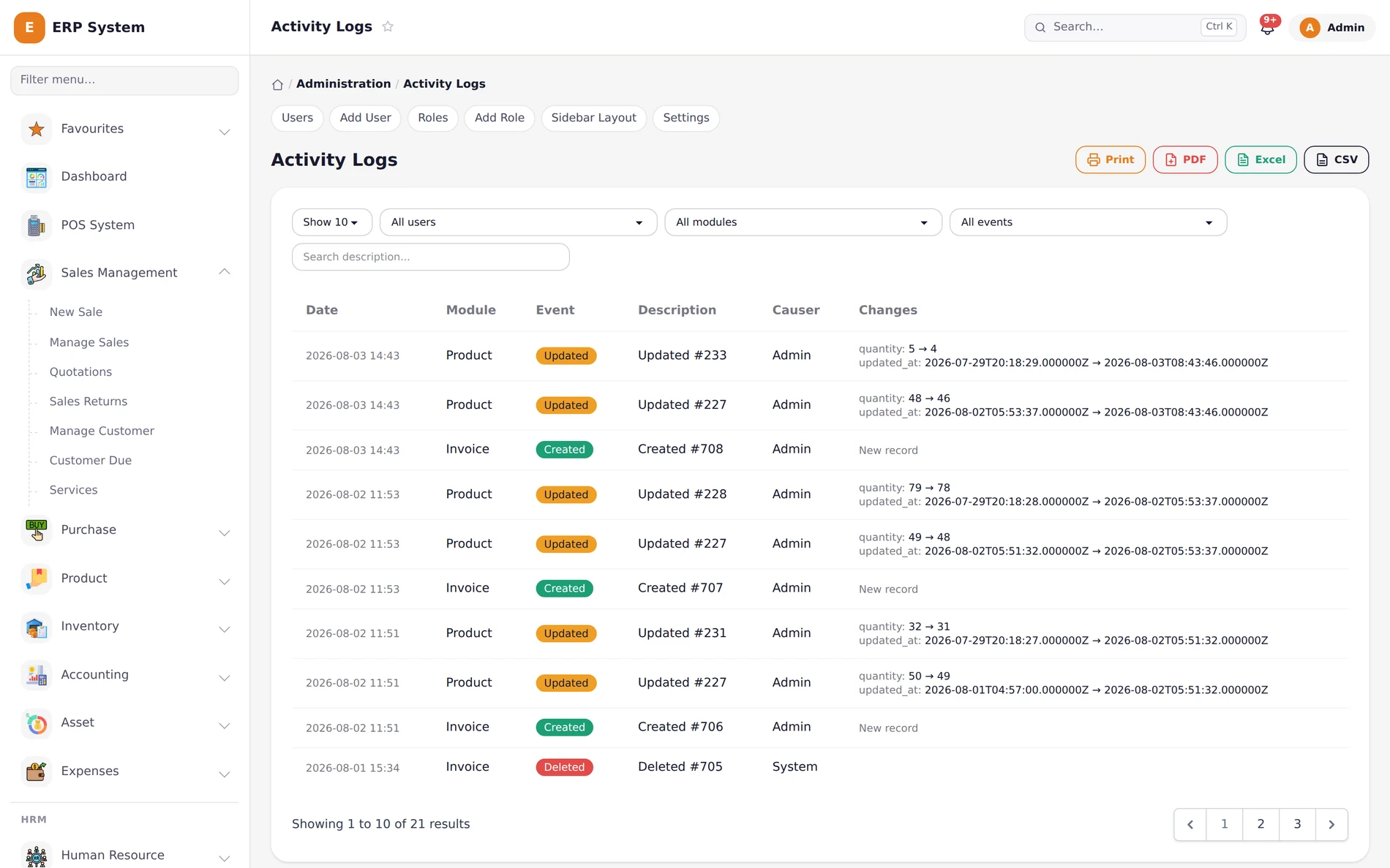
A full audit trail, not just an edit button.
Every create, update, and delete is logged with who did it and the exact before/after values — a product's quantity, an invoice's status, all of it, searchable by module and user.
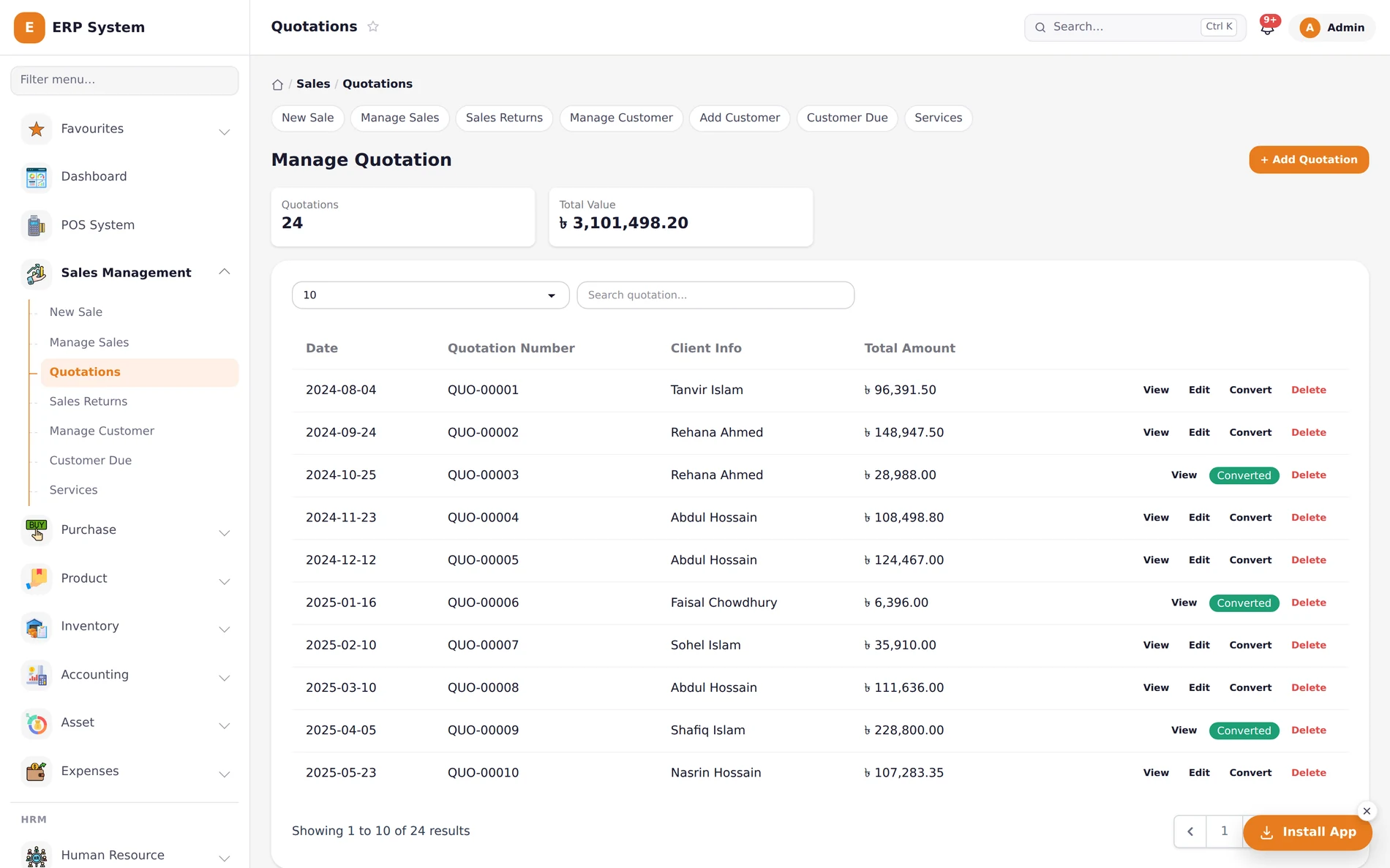
A quotation that becomes the invoice, not a copy of it.
Quote a customer, and when they say yes, convert it to a real invoice in one click — stock decrements and the numbers carry over exactly, nothing re-typed.
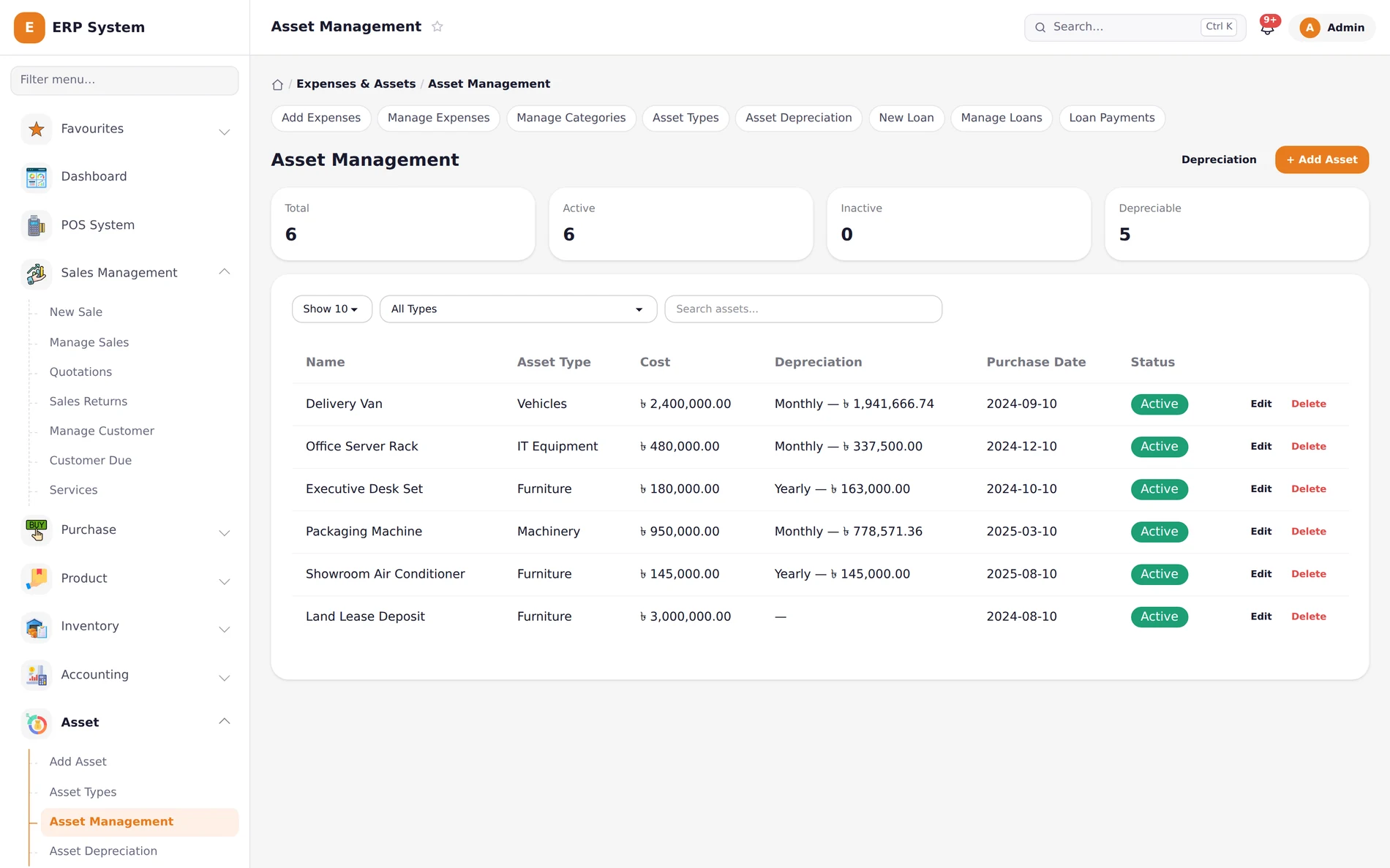
Assets, depreciation, and loans — tracked, not guessed.
Delivery vans, office equipment, machinery: each with its own depreciation schedule. Business loans get their own repayment tracking against your accounts, automatically.
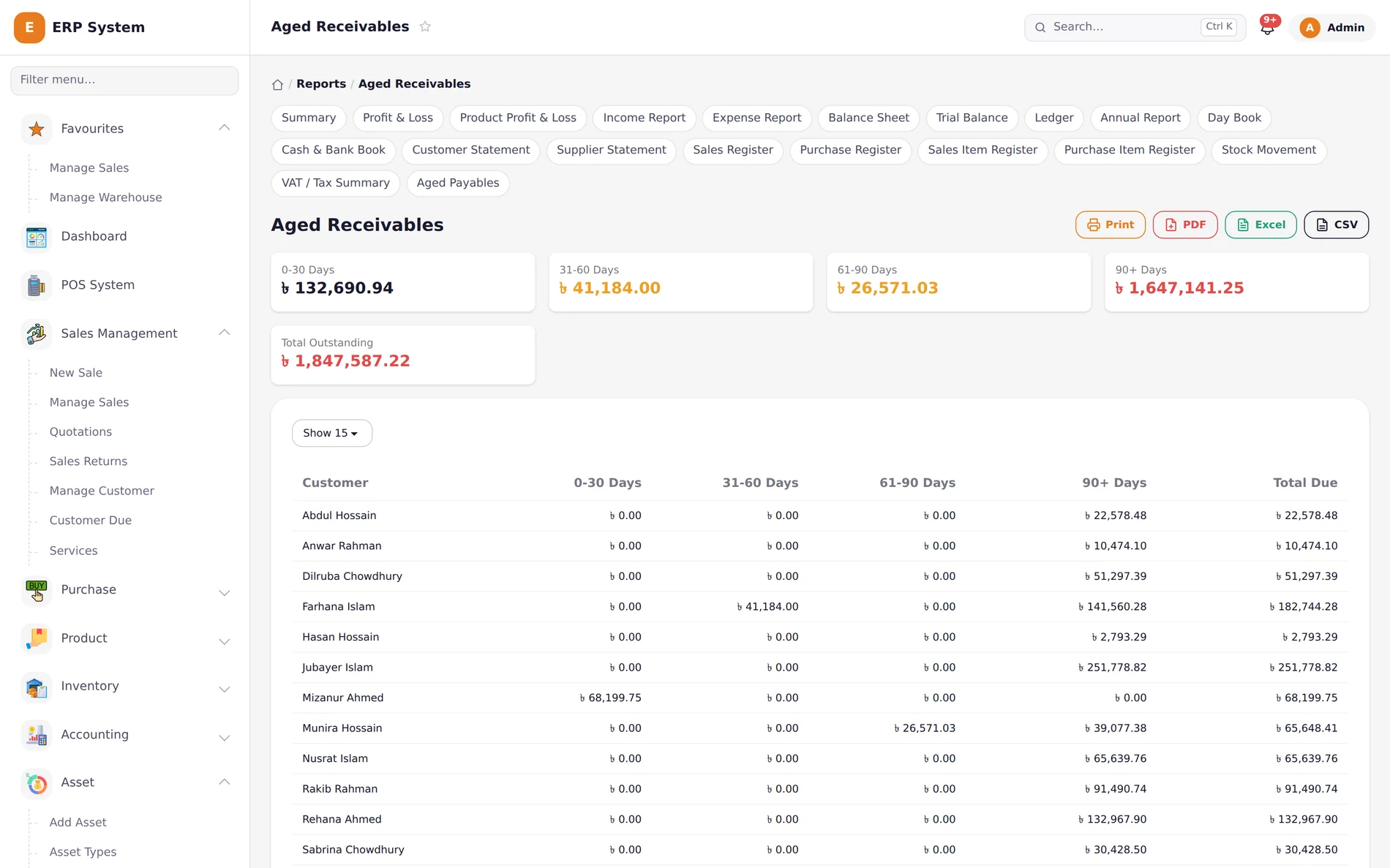
Know which dues are fine, and which are a problem.
Every customer's outstanding balance, aged into 0–30, 31–60, 61–90, and 90+ day buckets — so a due that's actually going stale doesn't hide in a single "Total Due" number.
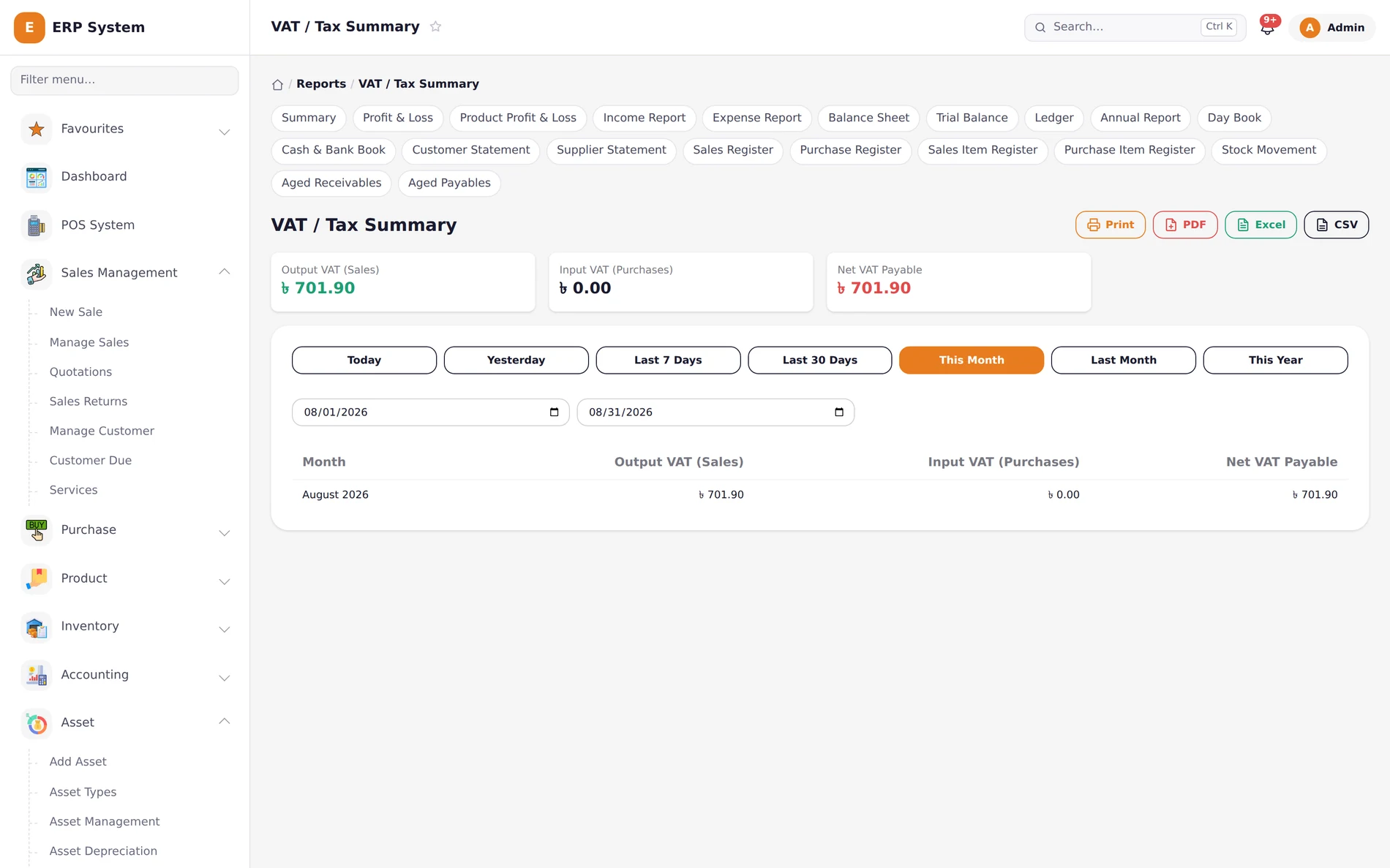
31 reports. Not a roadmap — already there.
Every report a real accountant asks for is one click away from every other one — Ledger, Trial Balance, VAT Summary, Aging, Registers — not a menu of three charts and a promise.
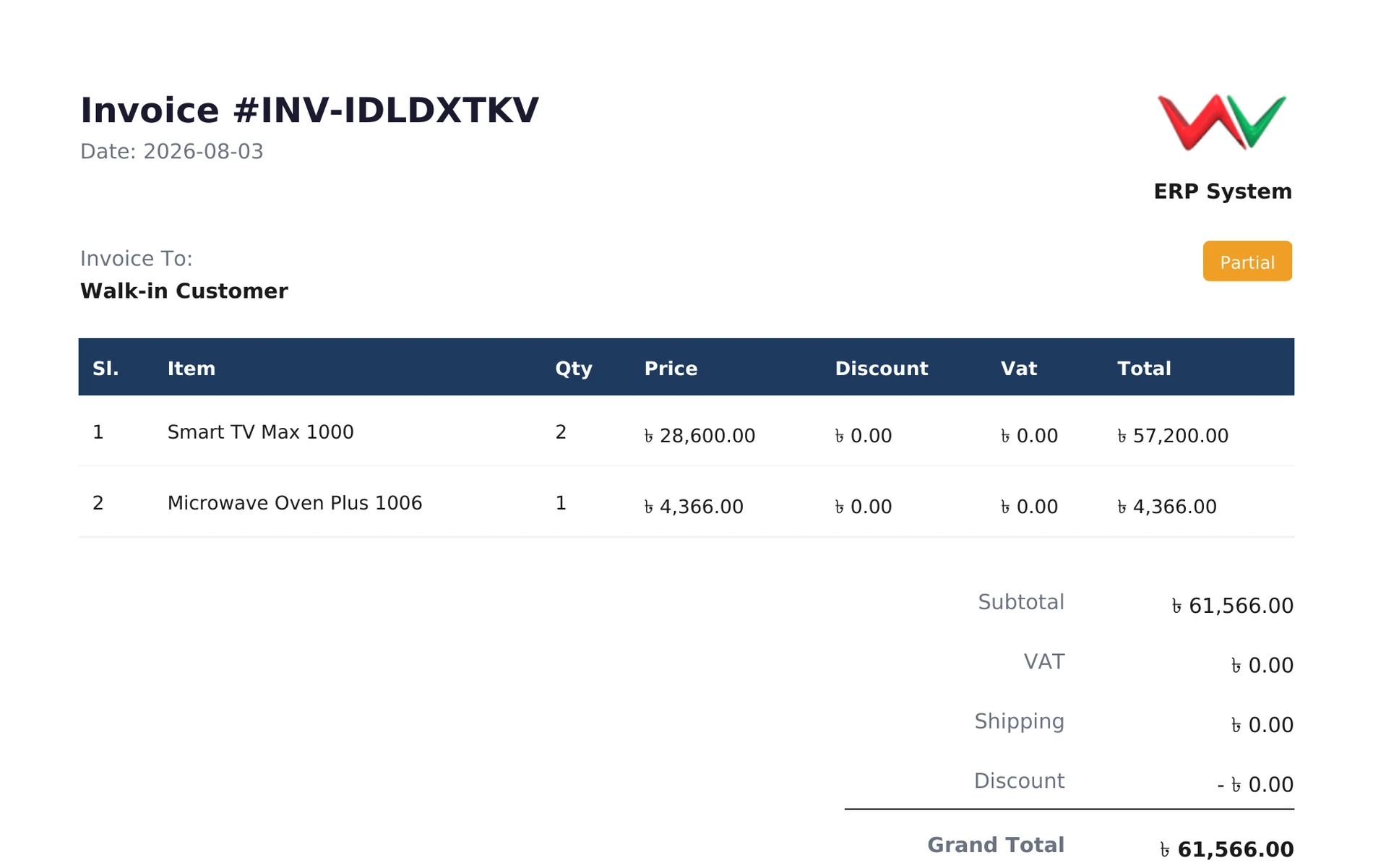
Every document, branded, in your format.
Print, PDF, Excel, or CSV, from the same button — with your own logo on it, not ours. Not just invoices: every one of the 31 reports exports the same way.
And the rest of what you'd expect from a real system.
- Barcode generation per product & variant
- Role-based permissions, not one shared login
- Install to home screen — works like a native app
- Multi-warehouse & stock transfer between locations
- Low-stock and expiry alerts before they cost you
- Purchase & sales returns that reverse stock and ledger automatically
Every report, by name All 31 of them — not a category count, the actual list.
- Summary
- Profit & Loss
- Product Profit & Loss
- Income Report
- Expense Report
- Balance Sheet
- Trial Balance
- Ledger
- Annual Report
- Transaction Report
- Day Book
- Cash & Bank Book
- Customer Statement
- Supplier Statement
- Sales Register
- Purchase Register
- Sales Item Register
- Purchase Item Register
- Stock Movement
- VAT / Tax Summary
- Aged Receivables
- Aged Payables
- Attendance Report
- Payroll Report
- Salary Register
- Customer Due
- Supplier Due
- Stock Out
- Upcoming Stock Out
- Expired Products
- Activity Logs
Not a foreign system with a taka symbol bolted on.
Every number, every account, and every tax field is built around how business is actually done here — not translated after the fact.
Taka, everywhere
Every price, invoice, and report is in ৳ — formatted the way your customers and accountant already expect.
VAT built in
VAT is calculated on every sale and purchase automatically, with its own VAT/Tax Summary report at month end.
Cash, bank & MFS
Cash, bank, bKash, Nagad, and any other mobile account — split a single sale across all of them if you need to.
Roles, not one shared login
Give your cashier the counter, your accountant the ledger, and your manager the full picture — from one system.
Works on the counter, the office, or your phone.
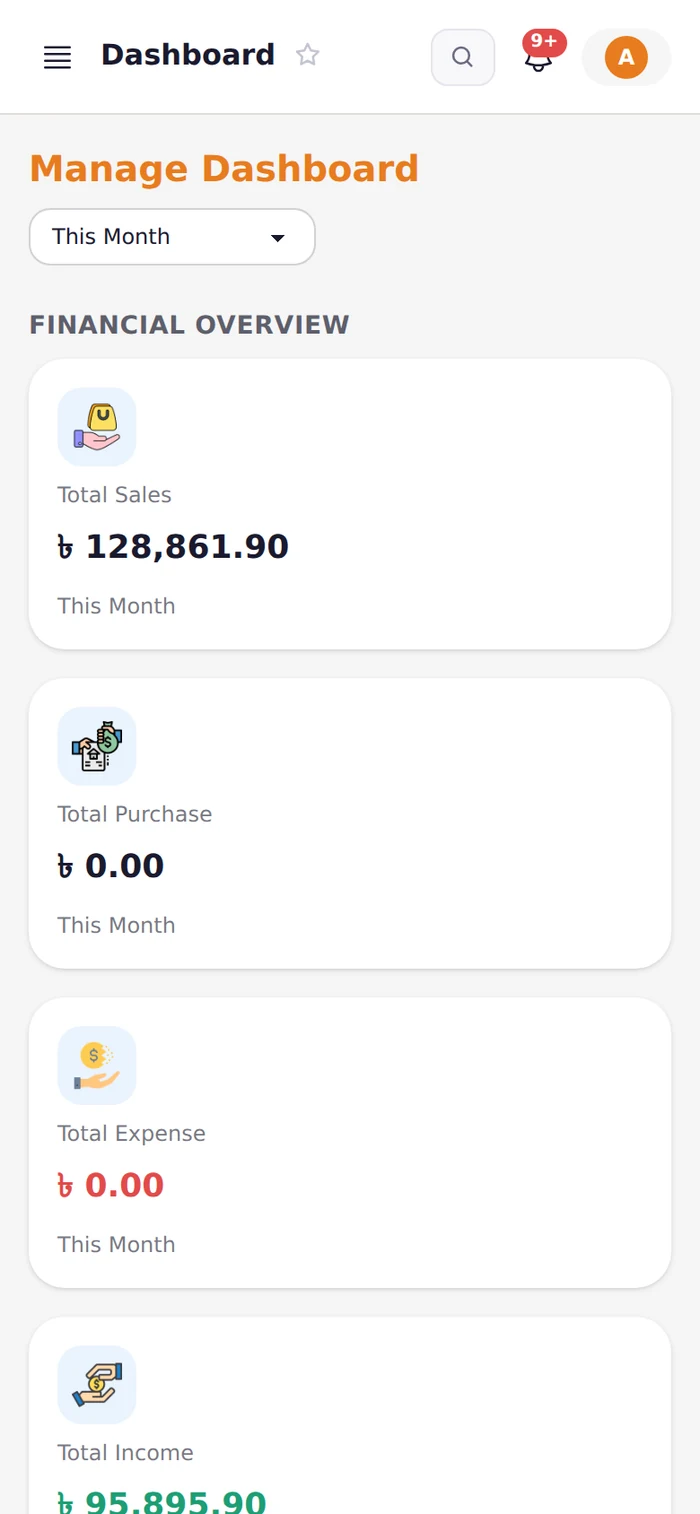
The full system, not a cut-down mobile app. Install it straight to your home screen and check today's sales, stock, or a customer's due balance from anywhere.
The old ledger vs. Khatian ERP.
You're not replacing your bookkeeping — you're finally trusting it.
Paper khatian / spreadsheet
- One physical book or one spreadsheet file — one point of failure.
- Stock count happens at month end, after the shortage already hurt you.
- VAT worked out by hand on every single invoice.
- Payroll recalculated from scratch each month.
- Only the person holding the book can check a balance.
Khatian ERP
- Backed up automatically, accessible from any logged-in device.
- Stock updates the instant a sale is rung up — never a surprise.
- VAT calculated automatically, every time, on every document.
- Payroll generated from attendance and salary structure in one click.
- Every report, on demand, from whoever has the right role.
Questions every business owner asks first.
Is my data safe?
Everything runs over HTTPS, every user gets their own login with role-based permissions (not one shared password), and every create, edit, and delete is logged with who did it — the same audit trail shown earlier on this page.
I already keep records on paper or in Excel. Can I switch without losing history?
Yes — bring your product list, customers, suppliers, and opening balances, and we'll help you get the starting numbers in during setup. You don't need to re-enter years of old invoices to start using it going forward.
Do I need the internet the whole time?
It's a web system, so yes, an active connection is needed to use it — same as internet banking. You can install it to your phone or desktop home screen for one-tap access, but it's not designed to run fully offline.
My staff aren't very tech-savvy. Is this hard to use?
The point of sale screen is built to be learned in one shift — search, tap, pay. Give a cashier only the POS, and keep the reports and settings behind your own login.
What does getting started look like?
Book a walkthrough with your own products, prices, and staff — we'll show you the setup on a live system, not a slideshow, so you can judge it against how you actually work.
Can I get my data out if I ever need to?
Every report exports to CSV or Excel whenever you want — your numbers are never locked behind a screen only we can read.
Open your business's first digital khatian.
See your own products, prices, and staff inside the system — book a walkthrough, no commitment.
hello@khatianerp.com · +880 00 000 0000